Understanding the Value of TradingView in Today's Markets
In an ever-evolving trading environment, where information flows at unprecedented speeds, the need for sophisticated analytical tools has never been more crucial. TradingView stands out as a premier platform that combines charting capabilities, social engagement, and advanced analytical tools. This article delves into the myriad benefits of TradingView and how it empowers traders across various asset classes to make informed decisions based on reliable data.
What is TradingView?
TradingView is an online platform designed for traders and investors to share insights, track market movements, and analyze financial data using advanced charting tools. Available on web and mobile applications, it provides real-time data across multiple asset classes, including stocks, forex, cryptocurrencies, and commodities. The interactive nature of TradingView fosters a community of traders who can share ideas, strategies, and analyses, making it a versatile platform for both novice and experienced traders alike.
Benefits of Using TradingView for Different Asset Classes
One of the main advantages of TradingView is its ability to cater to a wide variety of asset classes. Here’s a breakdown of how TradingView benefits traders in different segments:
- Stocks: With real-time data for major stock exchanges globally, TradingView enables traders to analyze trends, set alerts, and create watchlists for their favorite stocks.
- Forex: The platform provides comprehensive tools for forex traders, including currency pair analysis, economic calendars, and indicators tailored for currency trading.
- Cryptocurrencies: TradingView supports a range of cryptocurrencies, allowing users to track market sentiment, chart patterns, and price movements in real time.
- Commodities: Traders can utilize TradingView to monitor trends in commodities like gold, oil, and agricultural products, alongside essential news and data that impact pricing.
Key Features of TradingView to Increase Trading Efficiency
TradingView is packed with features that enhance trading efficiency. Some of the key tools include:
- Customizable Charts: Users can tailor their charts to display the specific indicators and timeframes they prefer, facilitating personalized analysis.
- Multiple Layouts: The ability to view multiple charts simultaneously helps traders monitor several assets or timeframes without switching screens.
- Alerts and Notifications: TradingView allows users to set price alerts for various indicators such as moving averages or key support and resistance levels, ensuring they never miss critical market movements.
- Social Networking: The platform's social capabilities enable traders to follow others, share ideas, and learn from community insights, which can lead to significant improvements in trading strategies.
Setting Up Your TradingView Environment for Success
Successfully leveraging TradingView requires a well-organized setup. Here are strategies to configure your environment effectively:
Configuring Charts for Optimal Analysis
To maximize your analysis, start by customizing your charts. Select from various chart types such as candlestick, line, or area charts depending on your trading style. Add indicators relevant to your strategy, whether they are trend indicators like Moving Averages or oscillators like the Relative Strength Index (RSI). Additionally, using multiple timeframes can help provide a comprehensive view of market trends.
Utilizing Indicators and Alerts Effectively
Indicators are essential tools in a trader's arsenal, but knowing how to use them effectively is paramount. Set alerts based on your desired technical conditions so you’re instantly notified of potential trading opportunities. For instance, traders often utilize breakout alerts when prices cross above resistance levels or when significant patterns form.
Customizing Your Workspace for Personalized Trading
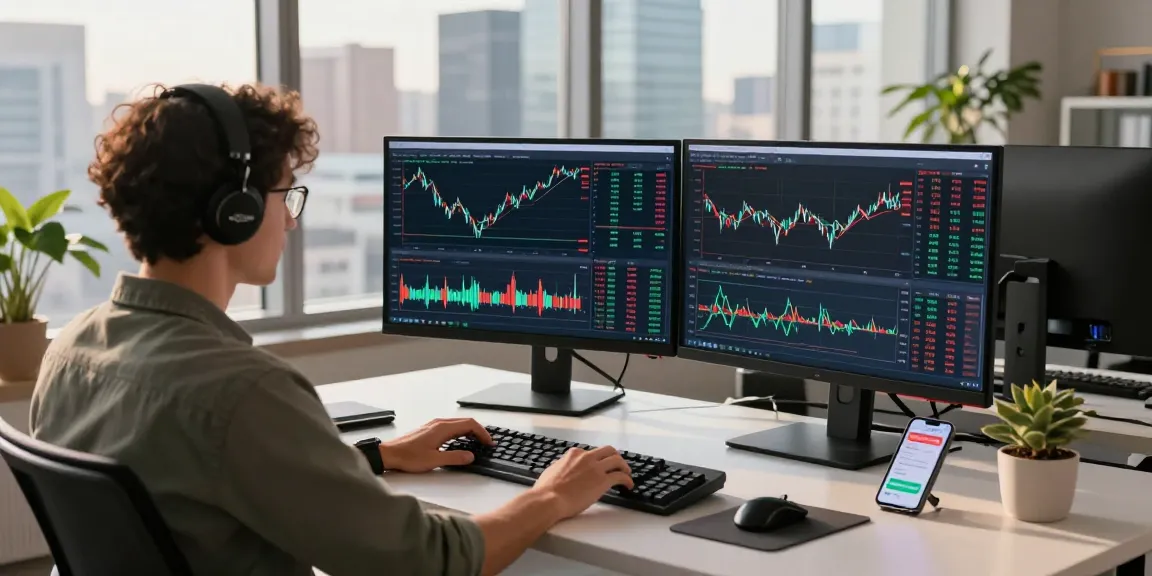
The functionality of TradingView extends to the user interface, allowing for extensive customization. Organize your workspace with charts, news, and social feeds that are informative to you. Consider using multi-monitor setups to enhance the visibility of various asset classes or to keep an eye on news and events that may influence market conditions.
Best Practices for Using TradingView to Enhance Your Strategies
To fully benefit from TradingView’s features, adhering to best practices can significantly enhance your trading performance.
Creating Actionable Trading Plans Using TradingView
Utilize TradingView to develop detailed trading plans. Outline your entry and exit strategies based on market conditions and technical analysis. Consistently applying a structured approach helps mitigate emotional decisions and enhances your trading discipline.
Performing Backtests with the Strategy Tester
One of the standout features of TradingView is the Strategy Tester. Use this feature to backtest your strategies against historical data to evaluate their effectiveness. This analysis allows you to refine your strategies before risking real capital, based on robust statistical data.
Leveraging the Community for Shared Insights and Strategies
The TradingView community is a valuable resource. Regularly engage with other traders to exchange ideas, discuss market movements, and share strategies. Leveraging this collective knowledge can greatly improve your understanding of market dynamics and uncover new tactics to apply in your own trading.
Advanced Techniques to Master TradingView
In addition to foundational practices, advanced techniques can elevate your trading game on TradingView.
Maximizing Performance with Pine Script
Pine Script is TradingView’s proprietary scripting language that allows users to create custom indicators and strategies. Learning to code with Pine Script can unlock new potential in your trading approach, enabling you to personalize alerts or automate trading strategies based on specific market conditions.
Integrating External Tools and Data Sources
While TradingView offers robust built-in features, consider integrating external tools and data sources for even deeper analysis. Tools for sentiment analysis or advanced charting can complement TradingView’s capabilities and provide a more comprehensive understanding of market conditions.
Utilizing Multi-Market Frameworks for Comprehensive Analysis
TradingView allows for the simultaneous analysis of multiple markets. Utilize this capability to understand correlations between different asset classes. For instance, observe how movements in currency pairs may affect commodity prices or equities, thus leading to more informed trading decisions.
Future Trends and Developments in Trading with TradingView
As the world of trading evolves, so does TradingView. Staying aware of upcoming trends can ensure that you remain at the forefront of trading technology.
Emerging Features to Look for in 2026
In the coming years, expect TradingView to enhance its artificial intelligence capabilities, offering features such as predictive analytics and more sophisticated algorithmic trading options. These advancements will likely further streamline trading processes and improve accuracy.
The Role of AI in Enhancing Trading Experiences
Artificial Intelligence will play a crucial role in the future of trading. With the integration of AI-driven insights and recommendations, traders can capitalize on data more effectively, making smarter decisions with less time spent on analysis.
Anticipated Market Changes and Trading Strategies
The financial landscape is continually changing due to economic factors and technological innovations. Staying updated on these changes will allow you to adapt your strategies accordingly. Engaging with the TradingView community can provide timely insights into market shifts and emerging trading opportunities.
What Makes TradingView Stand Out Among Competitors?
TradingView excels due to its user-friendly interface, extensive community, and integrated tools that allow traders to analyze multiple markets simultaneously. While other platforms may specialize in one area, TradingView’s versatility serves a broader audience, from casual investors to professional traders.
Is TradingView Free and Worth the Investment?
TradingView operates on a freemium model, allowing users to access many features for free, while premium options offer enhanced functionality. For serious traders, the investment in a premium account can yield significant returns in terms of advanced features, reduced lag, and more robust data.
What Are the Security Measures in TradingView?
Security is paramount, especially in financial trading. TradingView employs industry-standard security measures, including SSL encryption and secure authentication to protect user data and trading activities.